
TheraPro Got Even Smarter
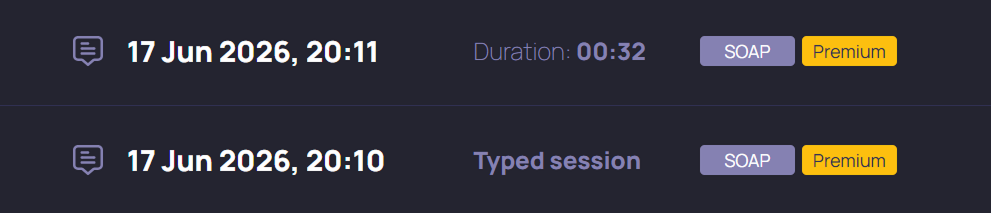
We’re excited to announce an update to TheraPro models for ALL users! This update to both our Base and Premium models is now live on production, so if you’ve noticed a difference in your note quality this week, we hope it’s a positive one! Read on for more.
WHAT DID WE DO EXACTLY?
Periodically we release updates to TheraPro’s models based on signals we get from users and product usage, as well as improvements in our underlying general models. The update we just released is the largest update we’ve made to our models in the past year. The impact to our users is more capable models that produce better, more nuanced clinical output, resulting in better notes out of the box that (hopefully!) require fewer updates or edits before finalizing. Try it and see for yourself!
IS THIS JUST FOR PAID USERS?
No! We’ve updated both our Base and Premium models, meaning TheraPro got even smarter for ALL users. We’ve also updated our session assignment logic to give users in our Basic plan a higher probability of seeing the Premium model. Now about 3 out of 10 sessions for Basic users will be assigned to the Premium model, compared to about 1 in 10 sessions for Free users. Plus, Pro, and Multi-Therapist users have ALL their sessions assigned to the Premium model.
DID WE TRAIN ON YOUR SESSIONS?
No. These are updates to our underlying general models and improvements in how we work with them. While we incorporate user feedback and other signals in updating our product and our models, we have NOT trained our models using session data, even in de-identified form. Reminder that any session data we send to our partners for processing is subject to our BAA and Zero Data Retention (ZDR) agreements, and those partners are NEVER permitted to use data from TheraPro to train models.
SO IS THERE ANY DOWNSIDE?
We hope not! But sometimes model behavior changes with these updates, and this could affect how your notes are produced. One example: you should now see far fewer instances of TheraPro using bullet points or lists in note output. Most users prefer this behavior, but if you want to see bullet points, you might need to guide the model in this direction. For example, you can go to Settings, Note Personalization, and enter a personalization like “use bullet points in the Plan section where it makes sense to do so”.
WOW, THIS NOTE IS GOOD (OR BAD)
Then let us know! Below your notes in TheraPro you’ll see two icons: a smiley face and a frowny face. Use these to tell us if you really liked, or didn’t like, how TheraPro processed your session and produced your note. Keep in mind you may not see these icons if you’ve made edits to your note, or if you’re using a custom note template. And you can use the “Report a problem” button if you experience a real issue with how TheraPro processed your session.
We’re always working to keep TheraPro the smartest and safest AI for therapists. The model updates we released this week are a step in that direction. And we’re working on more updates that we’re really excited about! Stay tuned for more news in the coming weeks. As always, you can reach us at hello@therapro.ai if you have any requests or suggestions. Thank you for using TheraPro!
Get started with TheraPro AI by checking out our Plans and Pricing, finding out more about How TheraPro Works, or seeing our approach to Security and Privacy. You can Contact Our Team to talk with a real person if you have questions, or Sign Up to create a free account and start using TheraPro AI today!