
Group Session Notes
Did you know TheraPro can help you draft your group session notes?
A group session is one in which a different note is produced for each session participant, based on TheraPro detecting their presence in session and interactions within the group.
Group session notes are currently only available for our Pro and Multi-Therapist users. Read on to see how to work with group session notes in TheraPro!
BEFORE YOU START
We do our best to require our users to do as little configuration as possible to work with TheraPro (just click Speak and start talking), but this is one case where we need some input from you in advance. You’ll need to tell TheraPro you’re running a group session BEFORE you start the session. Unfortunately, there’s currently no way to go back after a session is completed to re-process that session as a group session, so this step is pretty critical.
SET TO GROUP SESSION
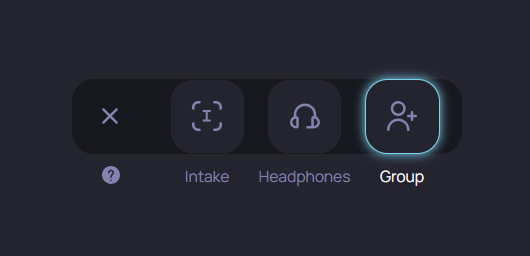
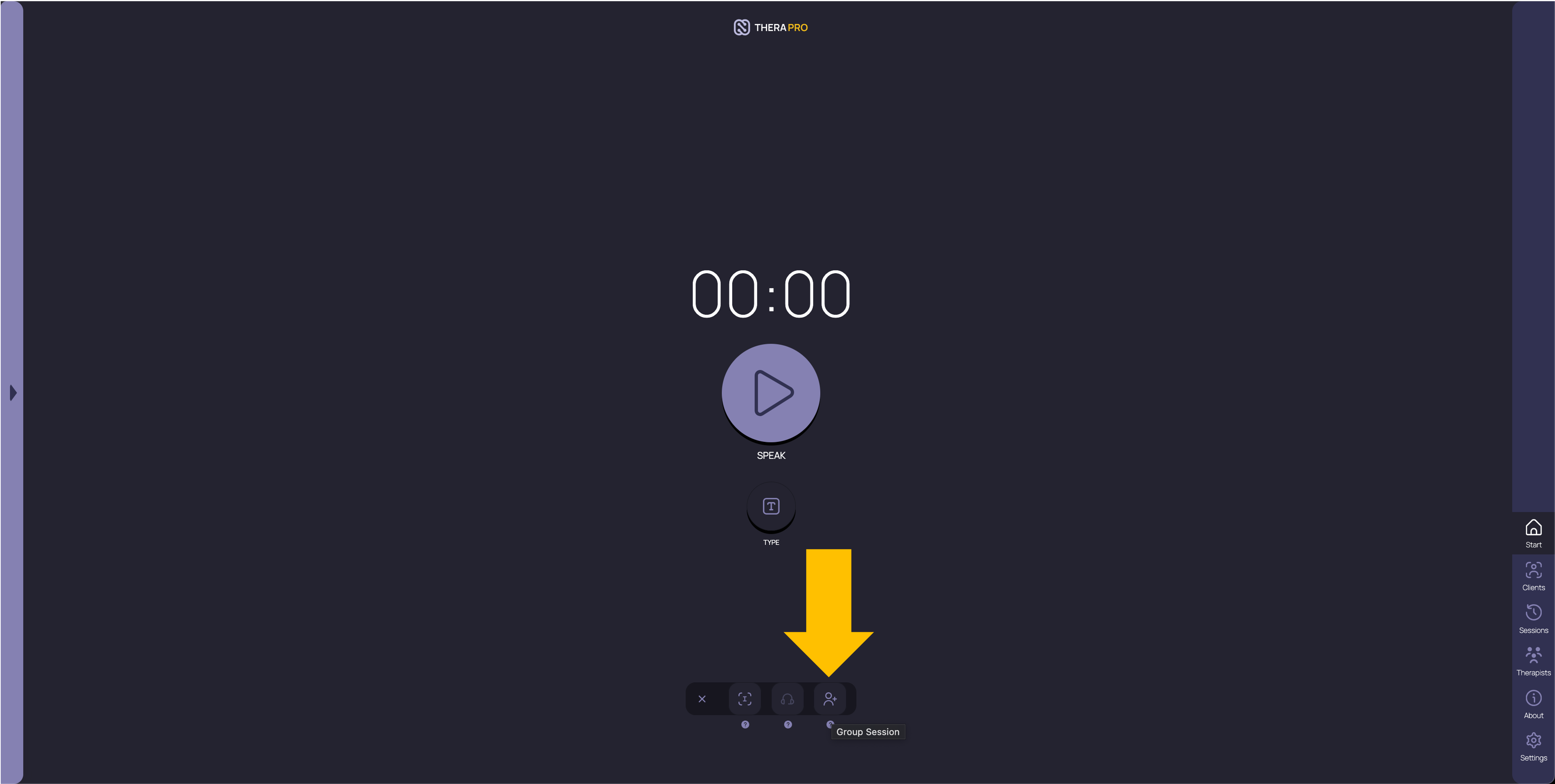
So how do you tell TheraPro you’re about to start a group session? On the Start page, click the nine-dot button at the bottom center of the screen. Find the person icon with a plus next to it, signifying a group session (you’ll see a box that says “Group Session” if you hover over it with your mouse). Click that icon and it will appear outlined, meaning TheraPro is now primed to listen for a group session.
RUN YOUR GROUP
Now click the big Speak button and start your session, positioning your device so that the microphone can pick up audio from your group participants (more on virtual groups in a separate message). That’s all, just one additional click compared to running a regular session. No, you don’t need to tell TheraPro how many participants there will be in the group, TheraPro will listen and pick that up automatically. And you don’t need to tell TheraPro who the participants are, they’ll be identified anonymously when your group session notes are produced.
AFTER YOU FINISH
Run your group session just like normal, and when you’re done, TheraPro will analyze your session, picking out the different participants and drafting a note for each. TheraPro takes a little longer to analyze group sessions, since it needs to do more work to identify participants and build distinct notes for each of them. But you can go and do other things in the app, and when you check back within one to three minutes, your group notes should be ready to go.
YOUR NOTES ARE READY
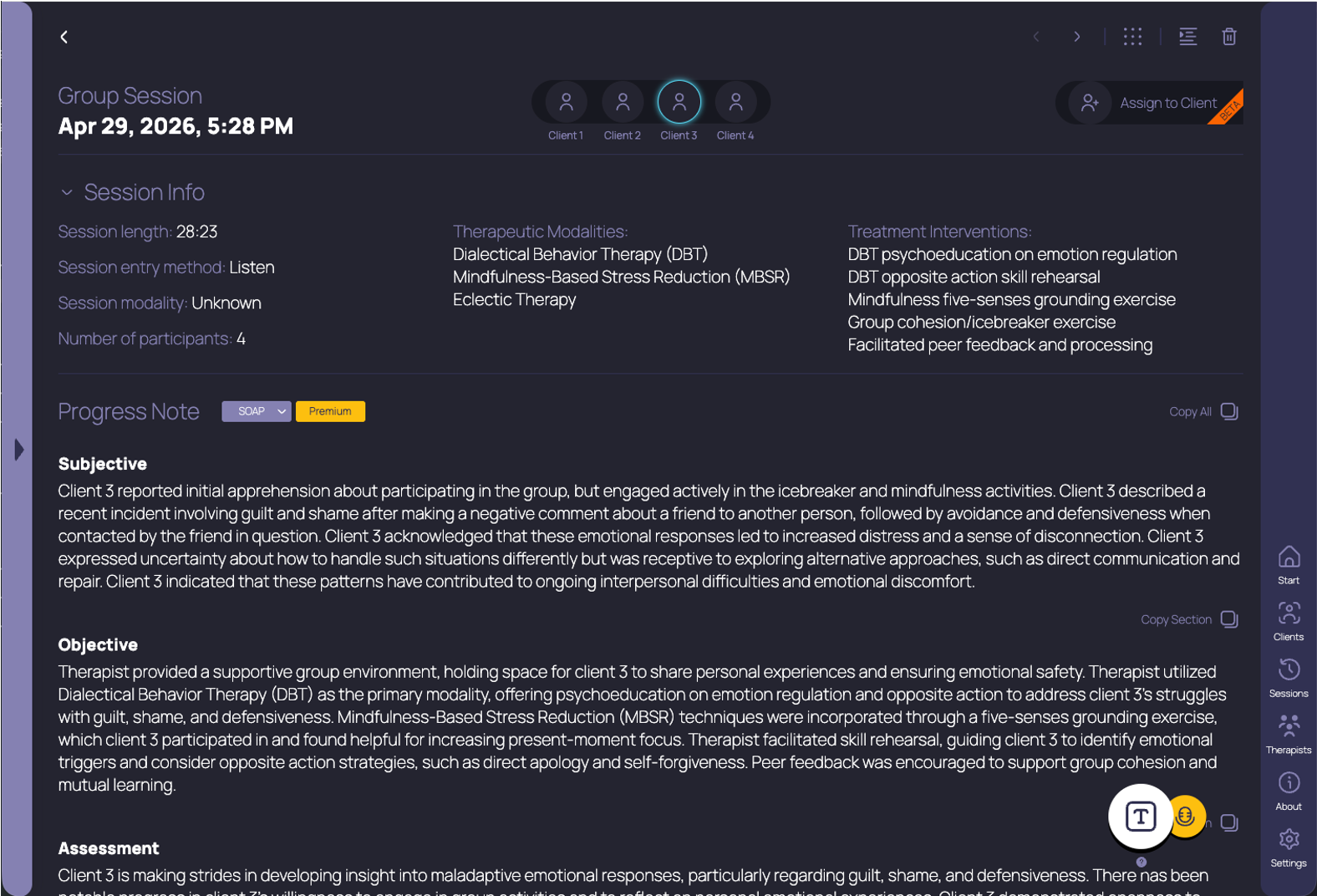
When you navigate to the session detail screen for your group session, you’ll see an icon at the top of the screen for each distinct participant TheraPro detected in your group. These icons have labels with “Client 1”, “Client 2”, etc. below them, and clicking on each icon shows the note associated with that session participant in the Progress Note section below. You can edit and refine each of these notes, and copy/paste them into your EHR, just as you would a regular session note. That’s it!
Get started with TheraPro AI by checking out our Plans and Pricing, finding out more about How TheraPro Works, or seeing our approach to Security and Privacy. You can Contact Our Team to talk with a real person if you have questions, or Sign Up to create a free account and start using TheraPro AI today!