
Creating New Clients
One of the top Clients-related questions we get is, how do I create a new Client myself?
Our goal is for TheraPro to automatically detect your Clients so that you never need to create one manually, but we acknowledge this is a journey and we’re not there yet. Some users want to create Clients today so that TheraPro has the context it needs to write better notes.
There are two ways to create a new Client - we’ll show you both below!
CREATE FROM CLIENTS SCREEN
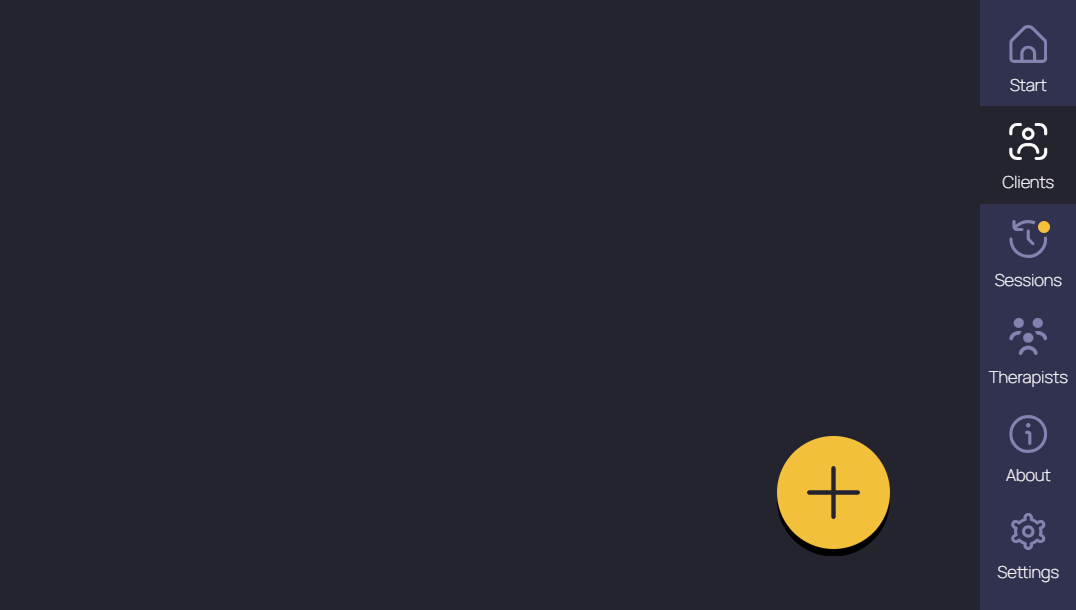
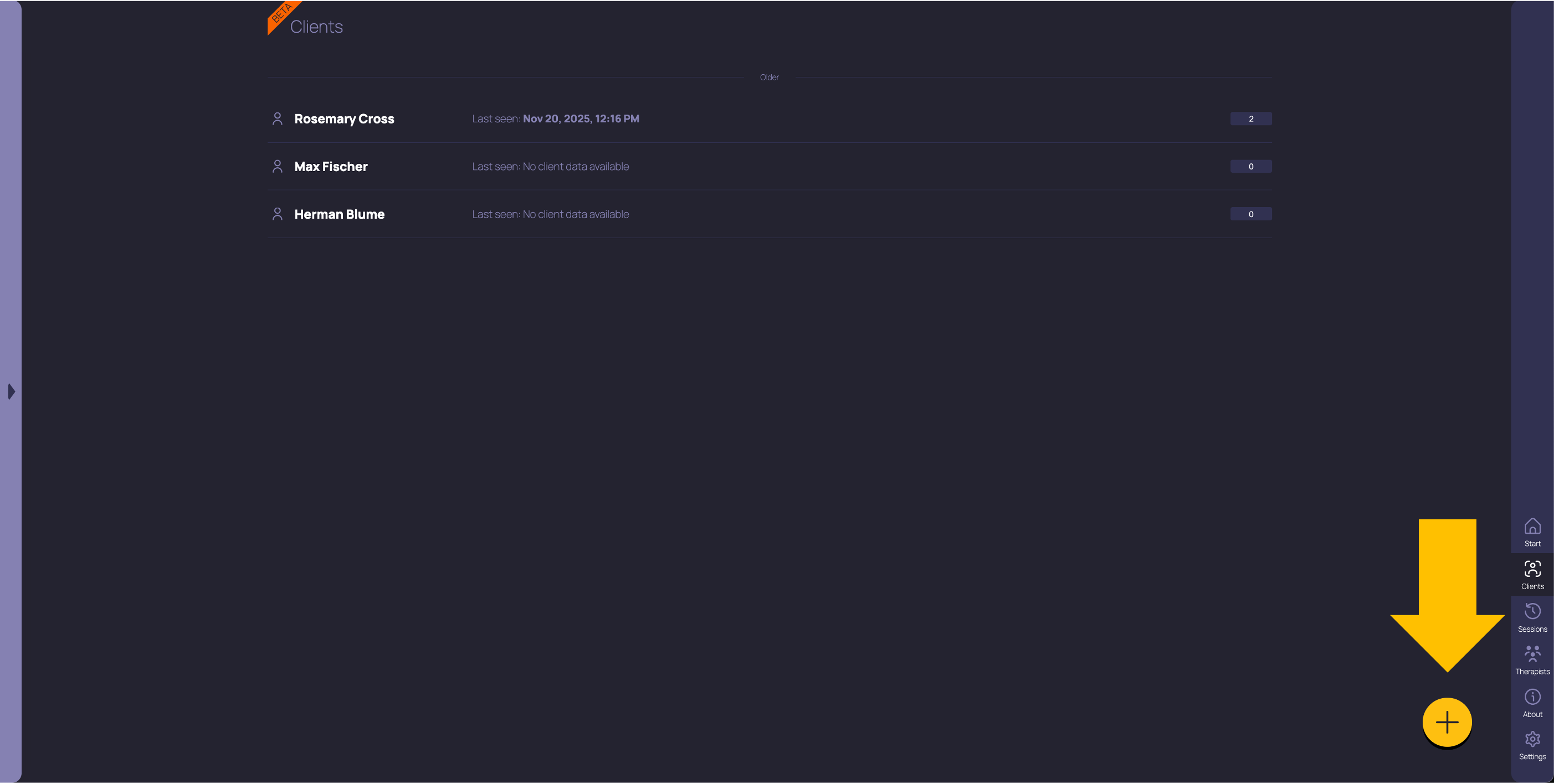
New this week! You might have noticed a yellow button with a plus sign in the bottom right corner of your Clients screen. Just click this button, click Create in the confirmation box, and you’ll be taken to the New Client screen.
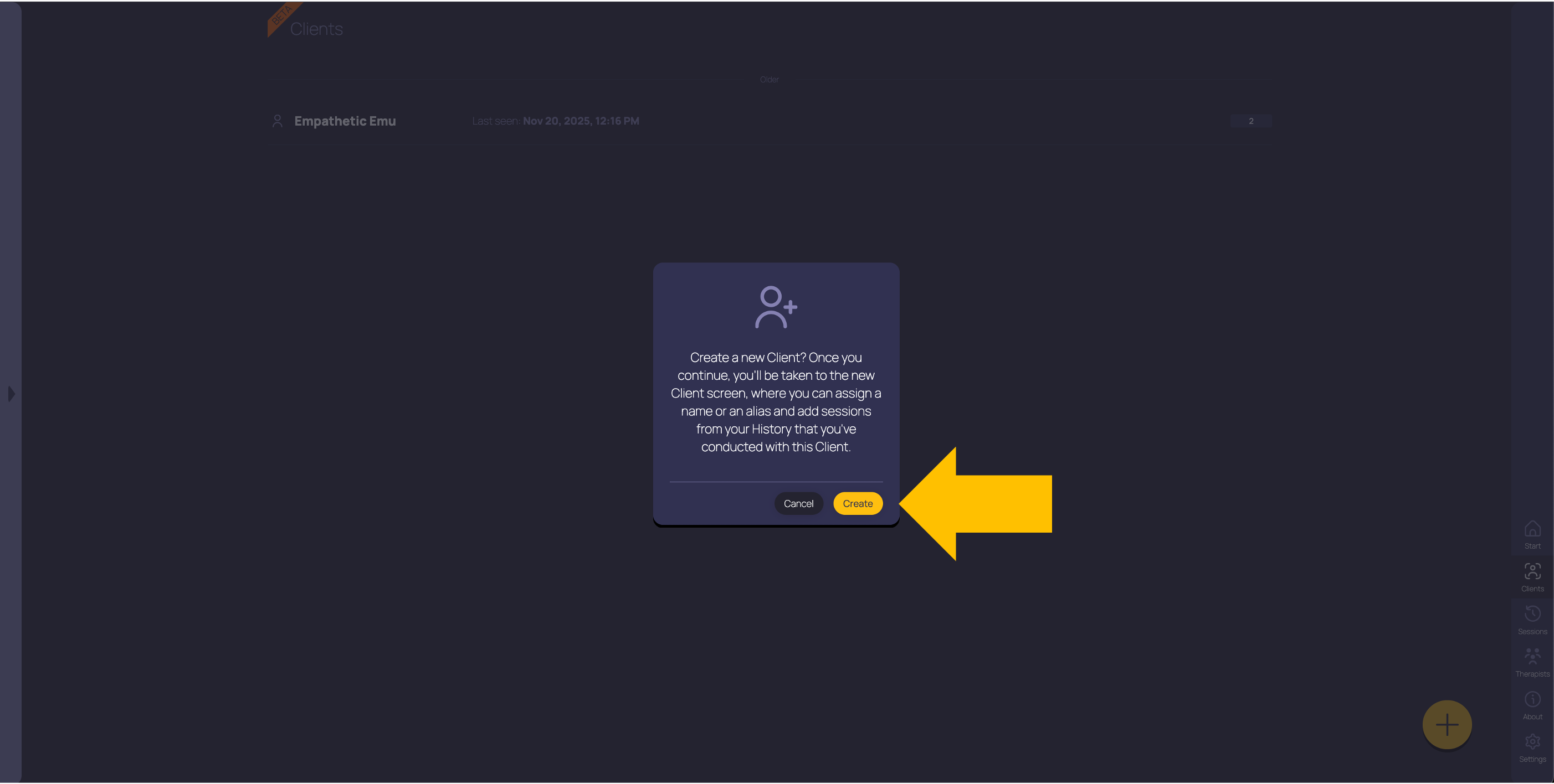

Here you can enter your client’s name (or an alias), assign existing sessions to this Client, or (coming soon!) click the Start button at the top right to start a new session with this Client. Once there are sessions associated with this client, TheraPro will automatically create a profile (that you can then edit) and enable building diagnostic options and treatment plans.
CREATE FROM SESSION SCREEN
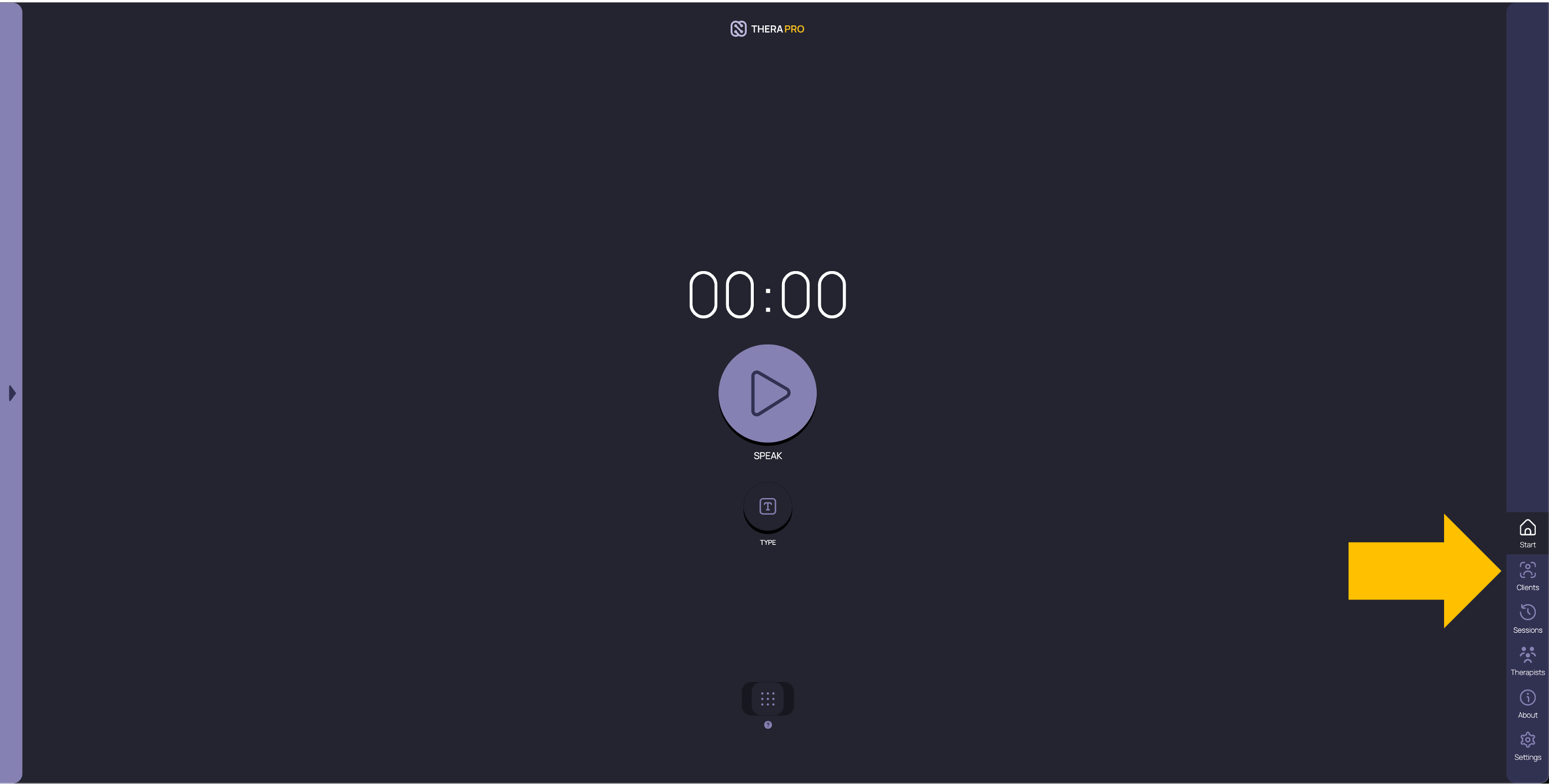
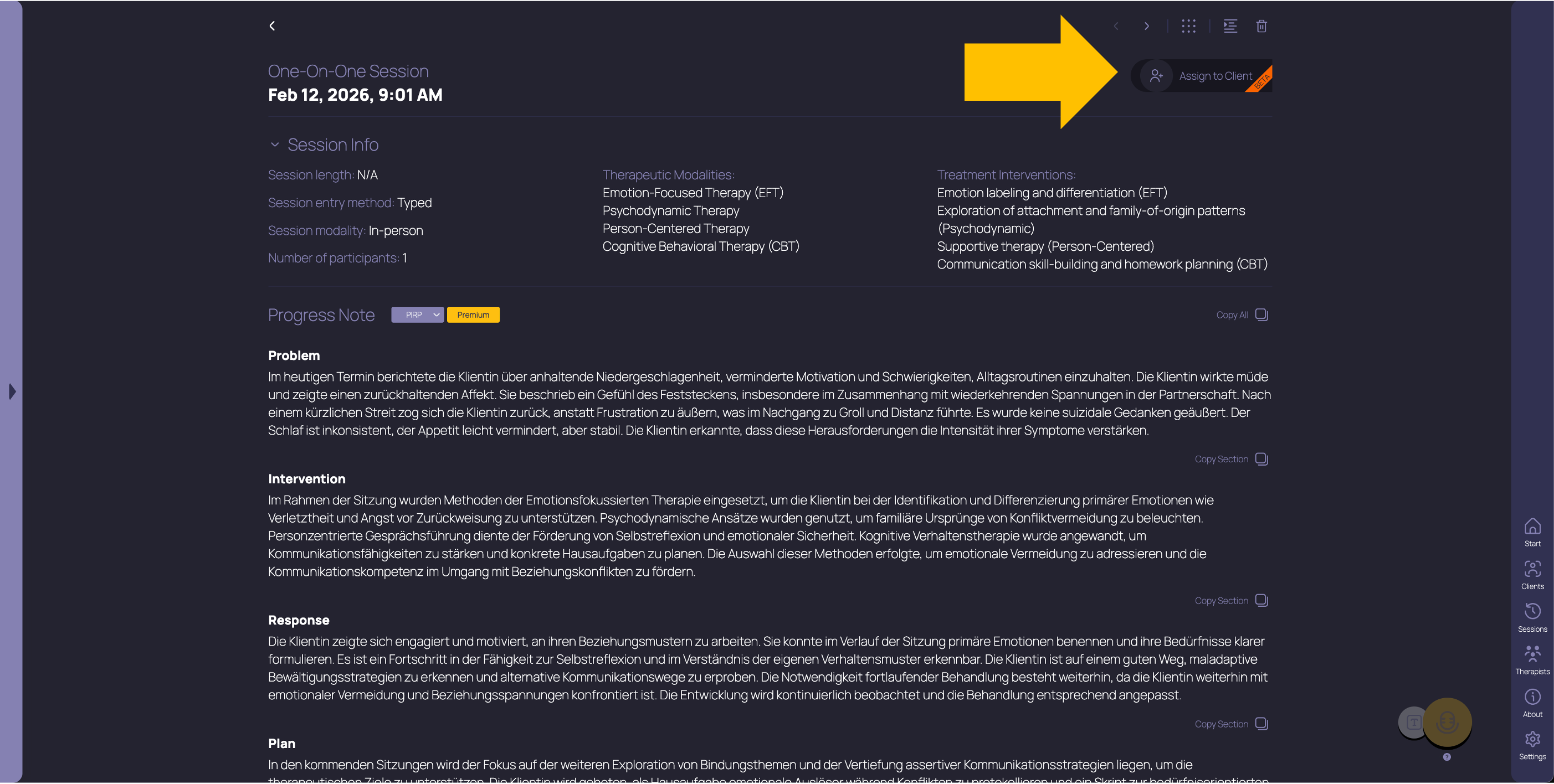
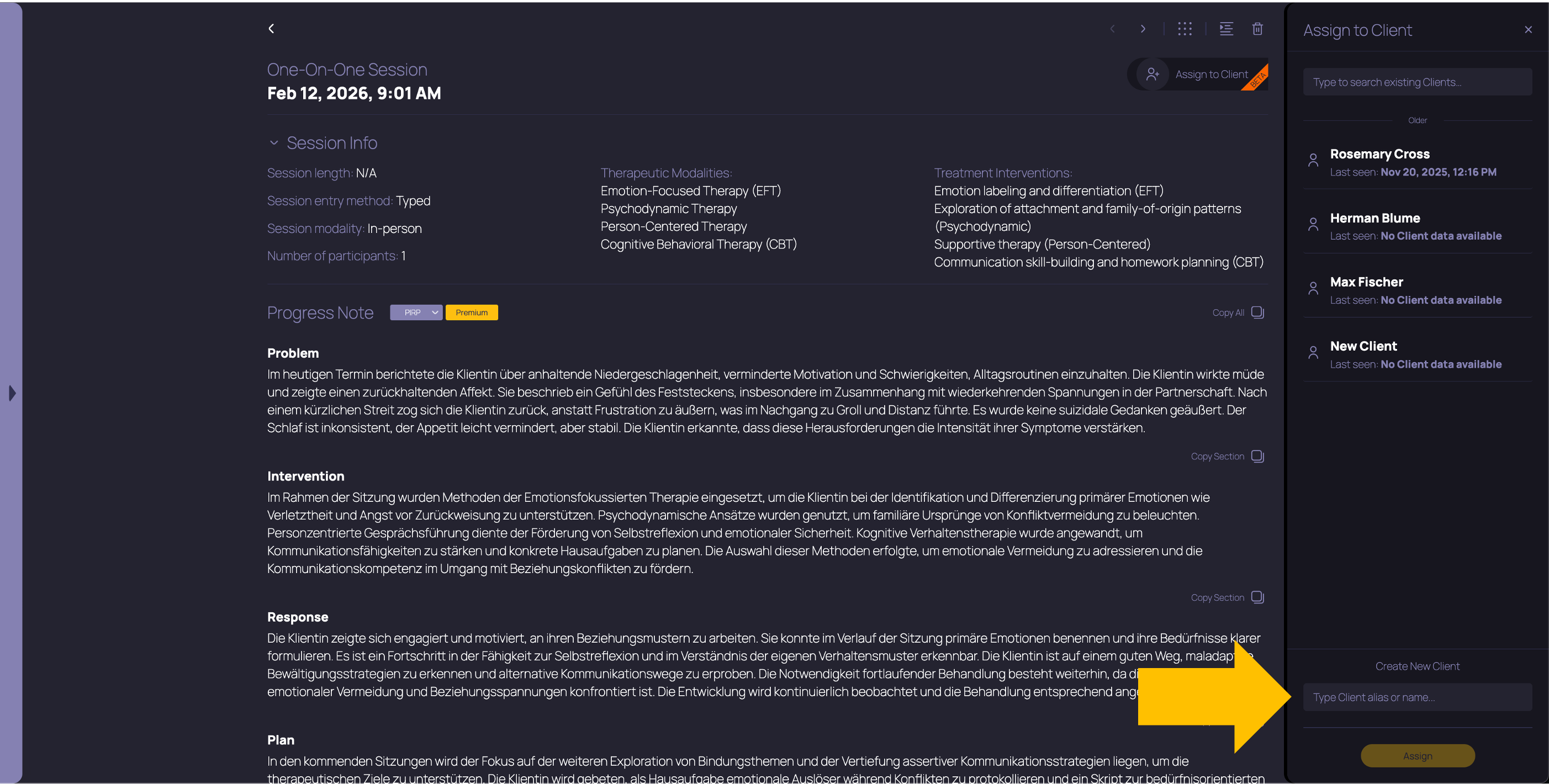
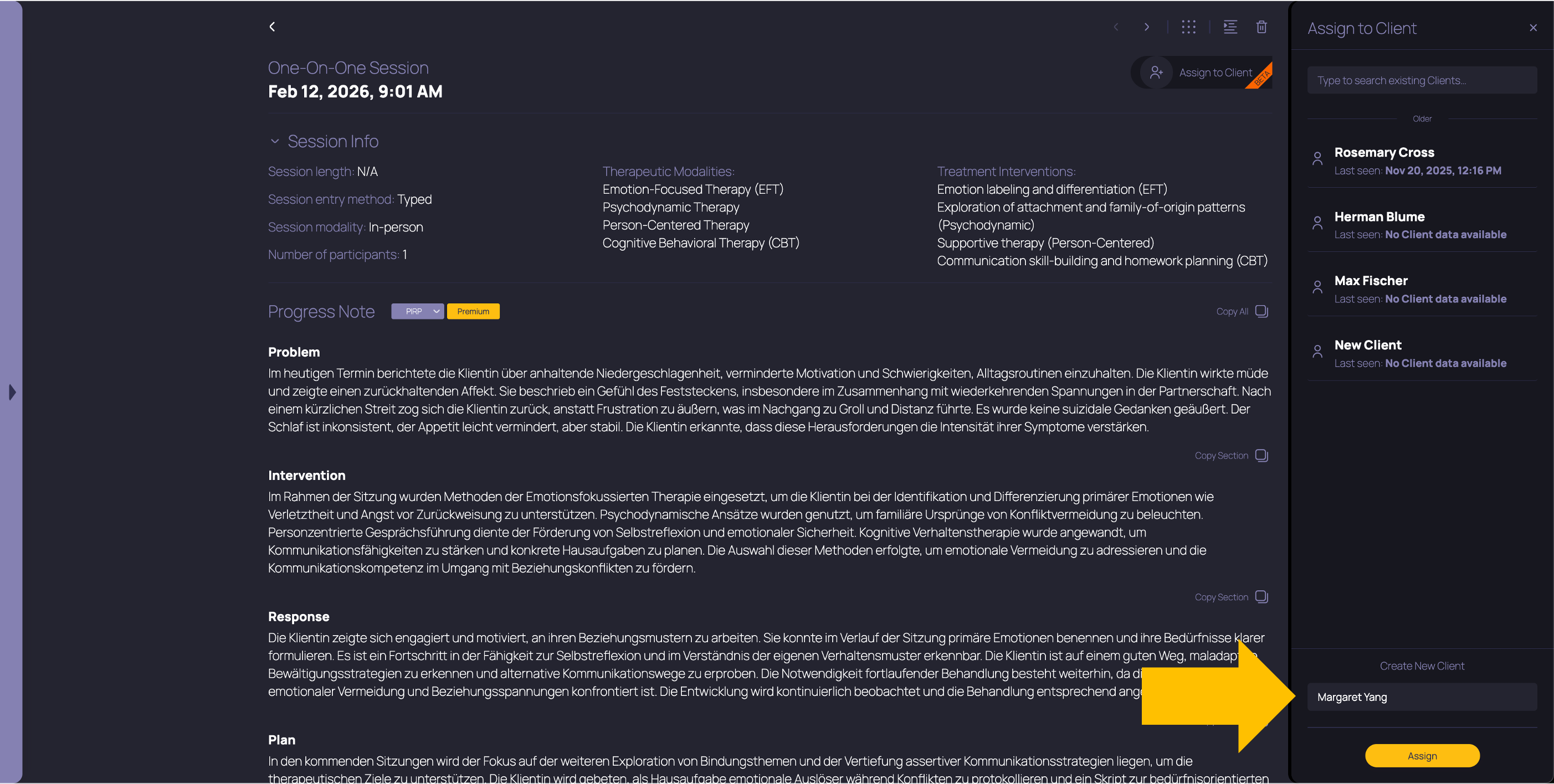
You can also create a new Client from the session detail screen. Just navigate to a session that you did with that Client, click the Assign to Client button in the top right, then look to the bottom of the panel that pops out to see where you can enter a client alias or name to create a new Client.
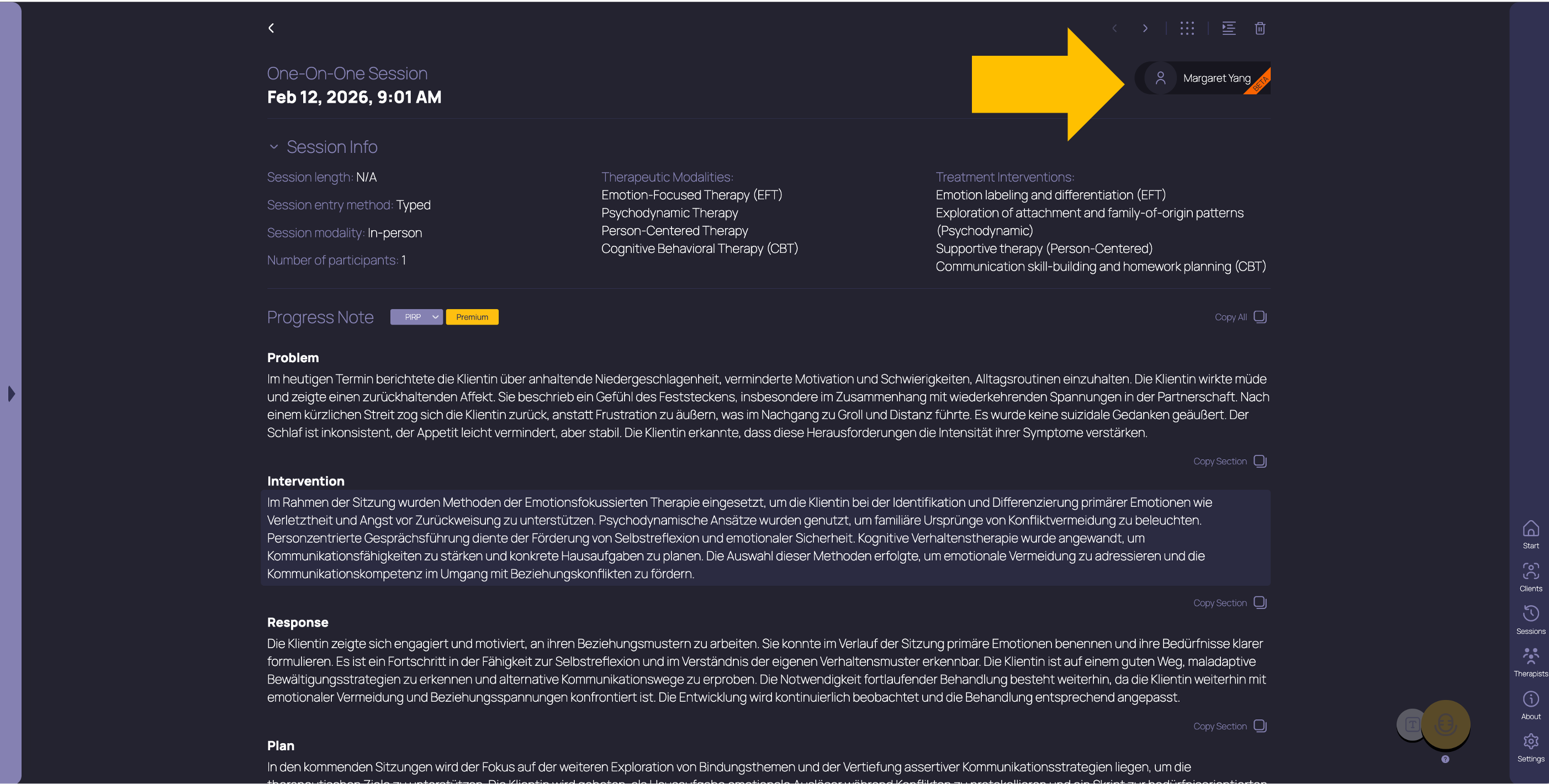
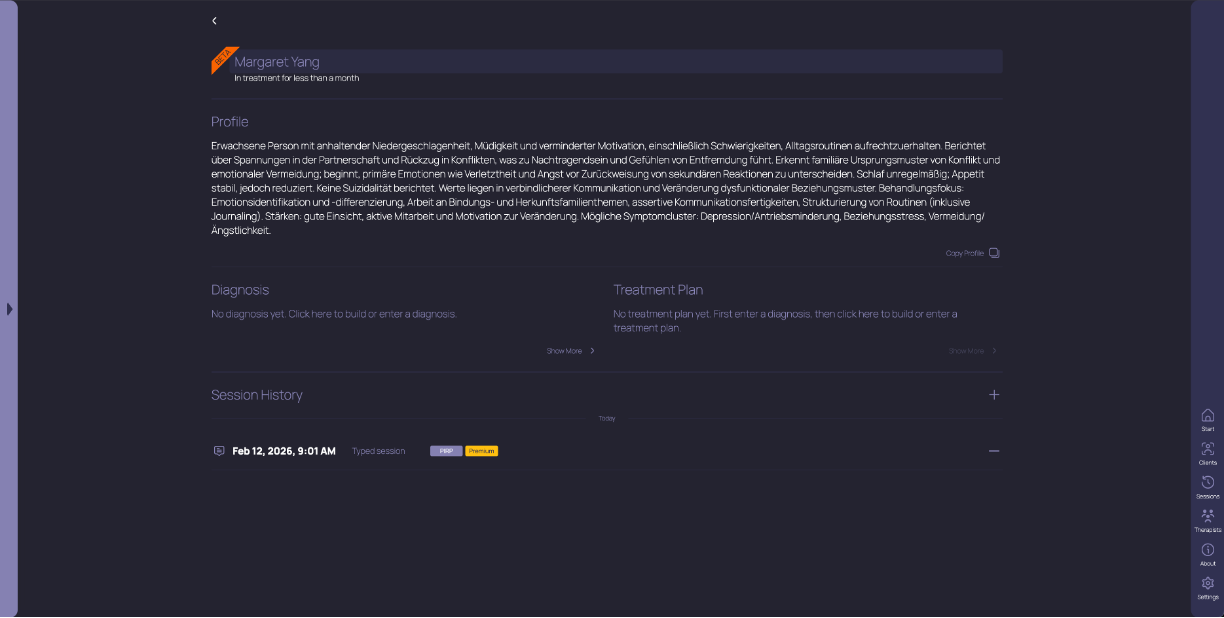
Now the Client badge at the top right will show that Client’s alias or name. When you click on it, you’ll be taken to the Client detail screen, where you can change the Client’s name, edit their profile, assign or unassign sessions, and get TheraPro’s help with diagnostic options or treatment planning.
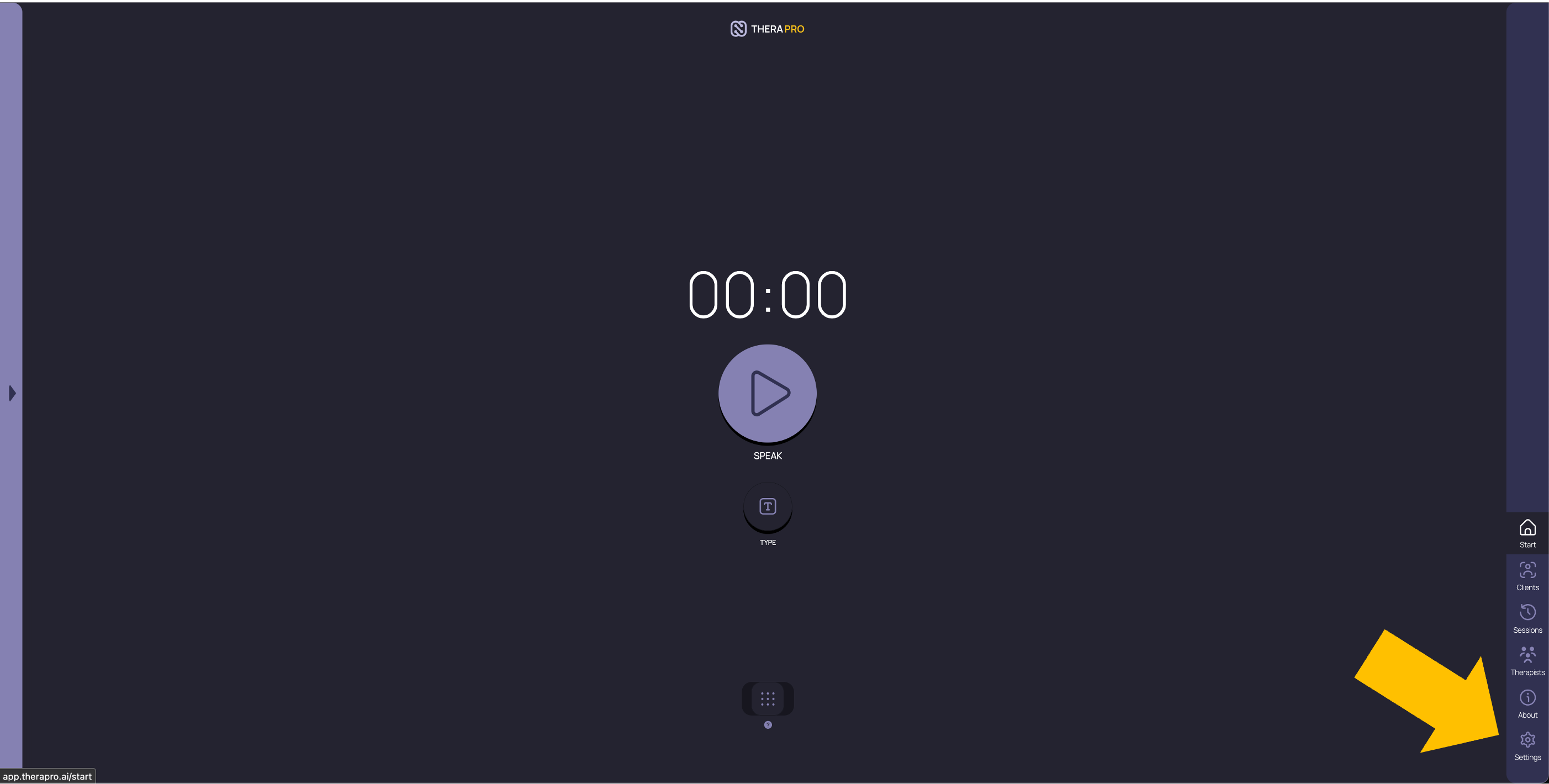
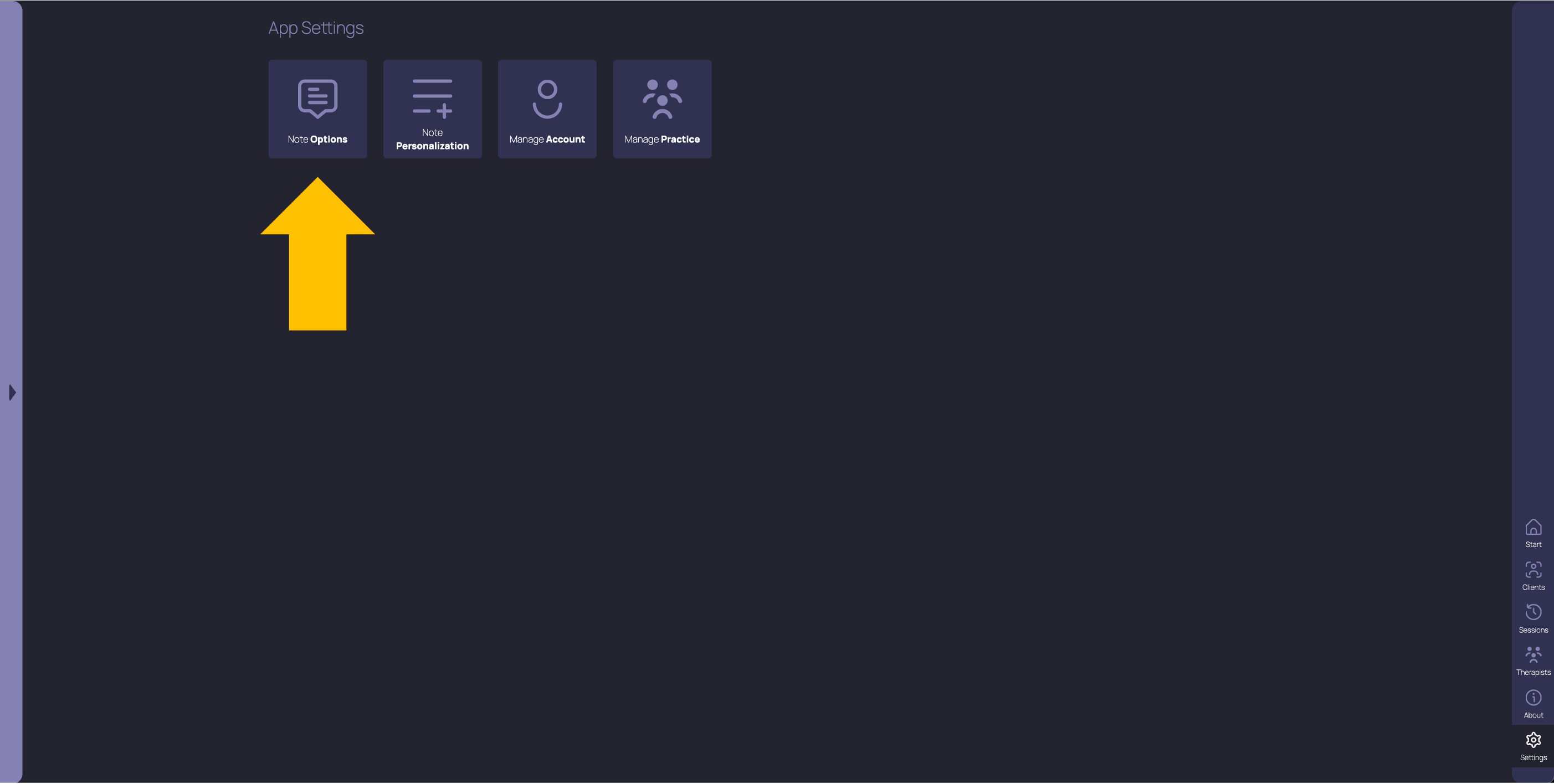
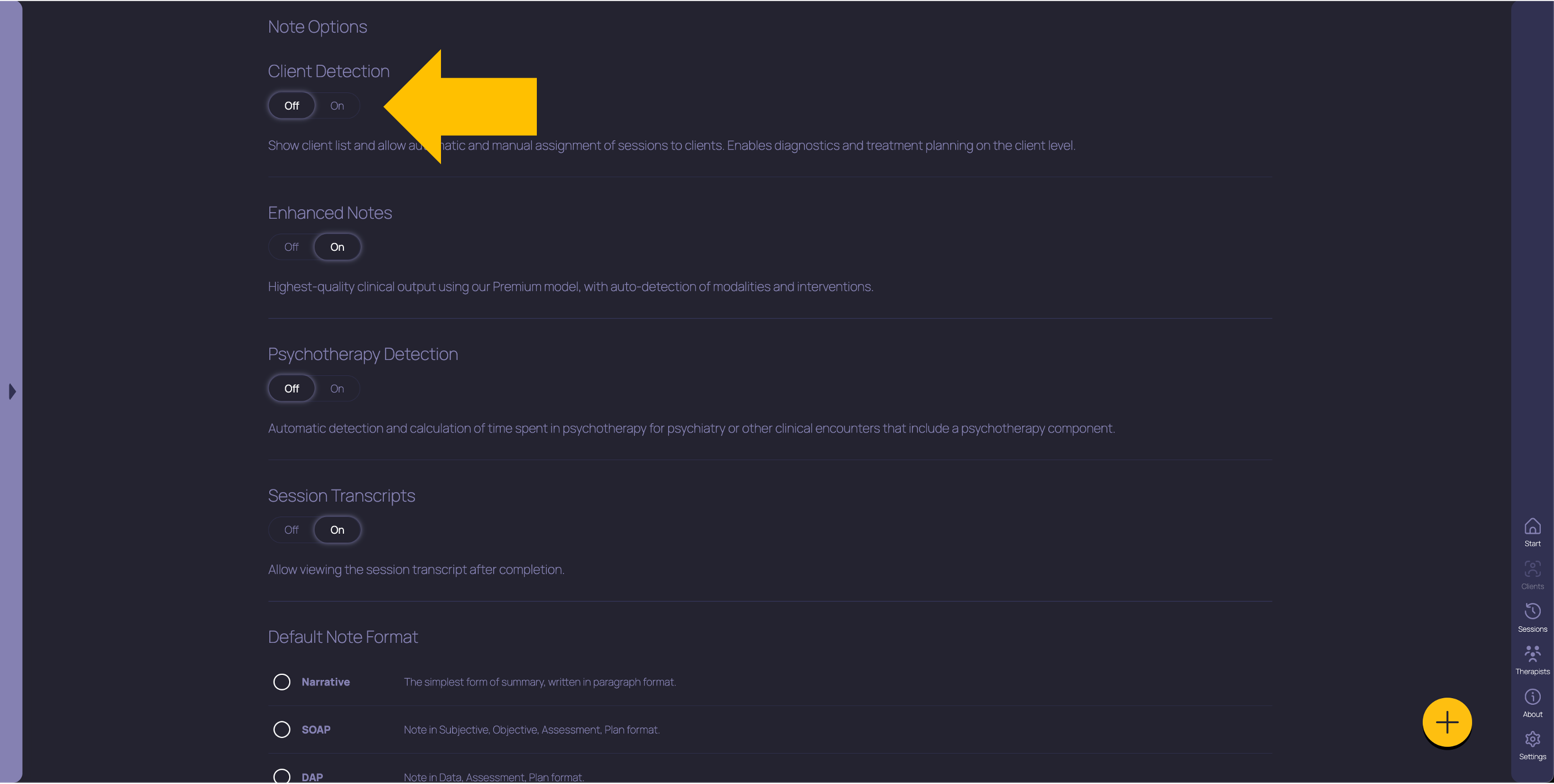
That’s it! Easy, right? Remember, you don’t need to create new Clients or even organize your sessions into Clients, but if you do, TheraPro has more context to help you write better notes. If you don’t want TheraPro to auto-detect your Clients and organize your sessions automatically, just go to Settings, Note Options, and set the Client Detection toggle to Off.
As a reminder, the Clients feature is available in beta release for all Pro and Practice users. “Beta” means we’re still making enhancements and changes (hopefully for the better!) before we consider the feature stable. Please pardon our dust as Clients continue to evolve!
Get started with TheraPro AI by checking out our Plans and Pricing, finding out more about How TheraPro Works, or seeing our approach to Security and Privacy. You can Contact Our Team to talk with a real person if you have questions, or Sign Up to create a free account and start using TheraPro AI today!